Building an Offline eBook Reader for iOS: Downloads, Typography Settings, Reading Progress That Survives Font Changes, and Highlights in the iOS 26 Text APIs
Downloading and storing public-domain books, previewing before you download, a UITextView-based reader with font, line height, margin and theme settings, saving your place as a character offset instead of a page number, bookmarks and highlights (including iOS 26's multi-range selection), reading time estimates and reading statistics
There's something special about reading a classic on your phone at night, when the book is more than a century old and the screen is the newest thing in the room. Novels Club is my app for that: thousands of public-domain classics, literature, poetry and philosophy, with recommendations, offline downloads, customisable reading settings, progress tracking, bookmarks, highlights and reading statistics.
A reading app sounds like "show text in a scroll view". It isn't, and the interesting problems are subtle. Where does a downloaded book live, and should it go into the user's iCloud backup? How do you let someone preview a book without downloading all of it? And the one that catches everybody: how do you remember someone's place when they change the font size and every "page" moves?
This article walks through how I'd build each part. The APIs are checked against Apple's documentation, including two iOS 27 deprecations in UITextView that matter for highlighting.
1. The library model
A book has metadata you can browse before downloading, and an optional local file once it's downloaded. In SwiftData:
import SwiftData
import Foundation

@Model
final class Book {
    @Attribute(.unique) var id: String
    var title: String
    var author: String
    var categories: [String]
    var wordCount: Int?
    var remoteURL: URL
    var localFileName: String?          // set once downloaded
    var progressOffset: Int = 0         // UTF-16 offset of the first visible character
    var lastOpened: Date?
    @Relationship(deleteRule: .cascade) var marks: [Mark] = []

    init(id: String, title: String, author: String, categories: [String], remoteURL: URL) {
        self.id = id; self.title = title; self.author = author
        self.categories = categories; self.remoteURL = remoteURL
    }

    var isDownloaded: Bool { localFileName != nil }

    /// "About 6 h 40 min" for a 100,000-word novel at 250 words per minute.
    var readingTimeEstimate: Duration? {
        wordCount.map { .seconds(Double($0) / 250 * 60) }
    }
}

@Model
final class Mark {
    enum Kind: String, Codable { case bookmark, highlight }
    var kind: Kind
    var location: Int                   // UTF-16 offset
    var length: Int                     // 0 for bookmarks
    var note: String?
    var created: Date = Date.now
    init(kind: Kind, location: Int, length: Int) { self.kind = kind; self.location = location; self.length = length }
}
Two decisions shape everything later. Positions are character offsets, not page numbers (section 5). And marks cascade-delete with their book, so removing a book never leaves orphaned highlights behind.
The reading-time estimate uses 250 words per minute, a common rule of thumb for adult silent reading. It's an estimate, and the UI should say "about".
2. Downloading books, and keeping them out of iCloud backup
"Download books for offline reading" with URLSession's async API (iOS 15+) is short. The details that matter are where the file goes and whether it's backed up:
import Foundation

enum BookStore {
    static var directory: URL {
        let dir = URL.applicationSupportDirectory.appending(path: "Books", directoryHint: .isDirectory)
        try? FileManager.default.createDirectory(at: dir, withIntermediateDirectories: true)
        return dir
    }

    /// Downloads a book, moves it into place and excludes it from iCloud backup.
    static func download(_ book: Book) async throws {
        let (tempURL, response) = try await URLSession.shared.download(from: book.remoteURL)
        guard (response as? HTTPURLResponse)?.statusCode == 200 else { throw URLError(.badServerResponse) }

        var destination = directory.appending(path: "\(book.id).txt")
        try? FileManager.default.removeItem(at: destination)
        try FileManager.default.moveItem(at: tempURL, to: destination)   // the temp file is deleted on return

        var values = URLResourceValues()
        values.isExcludedFromBackup = true        // re-downloadable content doesn't belong in backups
        try destination.setResourceValues(values)

        book.localFileName = destination.lastPathComponent
    }
}
- Application Support, not Caches. The system can purge Caches under storage pressure, and a book vanishing mid-read on a plane is exactly what "offline reading" promises won't happen.
isExcludedFromBackup. The books can be downloaded again, so they shouldn't eat the user's iCloud quota. Apple's storage guidance asks for exactly this.- Move the temp file immediately. The async
download(from:)gives you a temporary file that's deleted once you're done with it, so move it before doing anything else.
For a progress bar, pass a URLSessionTaskDelegate to download(from:delegate:), or use a URLSessionDownloadTask with a URLSessionDownloadDelegate (iOS 7+) and observe the task's progress.
3. Preview before downloading
"Preview books before downloading" doesn't need a separate preview file. If the server supports range requests, ask for just the first few kilobytes:
extension BookStore {
    static func preview(_ book: Book, bytes: Int = 16_384) async throws -> String {
        var request = URLRequest(url: book.remoteURL)
        request.setValue("bytes=0-\(bytes - 1)", forHTTPHeaderField: "Range")
        let (data, response) = try await URLSession.shared.data(for: request)

        // 206 = Partial Content. A 200 means the server ignored Range and sent everything,
        // so keep only the opening part either way.
        guard let http = response as? HTTPURLResponse, [200, 206].contains(http.statusCode) else {
            throw URLError(.badServerResponse)
        }
        let slice = data.prefix(bytes)
        // A byte cut can split a multi-byte character; trim back to valid UTF-8.
        for trim in 0..<4 {
            if let text = String(data: slice.dropLast(trim), encoding: .utf8) { return text }
        }
        return ""
    }
}
That last loop is easy to forget. A byte range can end in the middle of a multi-byte UTF-8 character, such as an accented letter in a French novel, and then String(data:encoding:) returns nil for the whole preview.
4. A reader with real typography settings
The listing promises "font size, font family, line height, margins" and "light, dark, and custom color schemes". UITextView (read-only) gives you excellent text layout, selection and accessibility for free. Since iOS 16 it can be created explicitly with TextKit 2 via init(usingTextLayoutManager:):
import SwiftUI
import UIKit

struct ReaderSettings: Equatable {
    var fontName = "Georgia"
    var fontSize: CGFloat = 19
    var lineHeight: CGFloat = 1.45       // multiple of the font's natural line height
    var margin: CGFloat = 24
    var theme = ReaderTheme.sepia
}

struct ReaderTheme: Equatable {
    var background: UIColor, text: UIColor
    static let light = ReaderTheme(background: .white, text: .black)
    static let sepia = ReaderTheme(background: UIColor(red: 0.98, green: 0.95, blue: 0.88, alpha: 1),
                                   text: UIColor(red: 0.26, green: 0.20, blue: 0.14, alpha: 1))
    static let dark  = ReaderTheme(background: UIColor(white: 0.08, alpha: 1), text: UIColor(white: 0.85, alpha: 1))
}

struct ReaderView: UIViewRepresentable {
    let text: String
    let settings: ReaderSettings
    @Binding var offset: Int             // reading position, see section 5

    func makeUIView(context: Context) -> UITextView {
        let view = UITextView(usingTextLayoutManager: true)   // TextKit 2 (iOS 16+)
        view.isEditable = false
        view.isSelectable = true                              // needed for highlights
        view.delegate = context.coordinator
        return view
    }

    func updateUIView(_ view: UITextView, context: Context) {
        guard context.coordinator.applied != settings else { return }
        context.coordinator.applied = settings

        let font = UIFont(name: settings.fontName, size: settings.fontSize)
            ?? .systemFont(ofSize: settings.fontSize)
        let paragraph = NSMutableParagraphStyle()
        paragraph.lineHeightMultiple = settings.lineHeight
        paragraph.paragraphSpacing = settings.fontSize * 0.6

        view.attributedText = NSAttributedString(string: text, attributes: [
            .font: UIFontMetrics(forTextStyle: .body).scaledFont(for: font),   // respects Dynamic Type
            .foregroundColor: settings.theme.text,
            .paragraphStyle: paragraph
        ])
        view.backgroundColor = settings.theme.background
        view.textContainerInset = UIEdgeInsets(top: 32, left: settings.margin, bottom: 48, right: settings.margin)

        context.coordinator.restore(offset, in: view)          // keep the reader's place after re-layout
    }

    func makeCoordinator() -> Coordinator { Coordinator(offset: $offset) }
}
The applied != settings guard matters. Rebuilding the attributed string for a 150,000-word novel is expensive, so do it only when a setting actually changes, not on every SwiftUI update. For very long books, the approach I'd use is to split by chapter and load one chapter at a time.
5. Reading progress that survives font changes
Here's the trap. If you save "page 143", or a scroll offset of 18,400 points, then the moment someone bumps the font from 17 to 21 point, page 143 is a different passage. The fix is to save the character the reader is looking at, a UTF-16 offset into the text, which no layout change can move:
final class Coordinator: NSObject, UITextViewDelegate {
    var offset: Binding<Int>
    var applied: ReaderSettings?
    var onHighlight: (([NSRange]) -> Void)?      // set by the reader screen to save Marks
    init(offset: Binding<Int>) { self.offset = offset }

    /// The first character at the top-left of the visible area.
    func currentOffset(in view: UITextView) -> Int {
        let topLeft = CGPoint(x: view.textContainerInset.left + 1,
                              y: view.contentOffset.y + view.textContainerInset.top + 1)
        guard let position = view.closestPosition(to: topLeft) else { return 0 }
        return view.offset(from: view.beginningOfDocument, to: position)    // UTF-16 units
    }

    func scrollViewDidEndDecelerating(_ scrollView: UIScrollView) { save(scrollView) }
    func scrollViewDidEndDragging(_ scrollView: UIScrollView, willDecelerate: Bool) {
        if !willDecelerate { save(scrollView) }
    }
    private func save(_ scrollView: UIScrollView) {
        guard let view = scrollView as? UITextView else { return }
        offset.wrappedValue = currentOffset(in: view)
    }

    /// After re-layout, bring that character back to the top.
    func restore(_ offset: Int, in view: UITextView) {
        DispatchQueue.main.async {                                  // after layout has happened
            guard let start = view.position(from: view.beginningOfDocument, offset: offset),
                  let end = view.position(from: start, offset: 1),
                  let range = view.textRange(from: start, to: end) else { return }
            let rect = view.firstRect(for: range)
            view.setContentOffset(CGPoint(x: 0, y: max(0, rect.minY - view.textContainerInset.top)), animated: false)
        }
    }
}
closestPosition(to:) and offset(from:to:) come from UITextInput (iOS 3.2+), which UITextView adopts. They do exactly what we need: convert between points on screen and positions in the text. With this:
- Changing the font, line height or margins keeps the same sentence at the top of the screen.
- "Continue reading where you left off" is just opening the book and restoring
progressOffset. - Percentage progress is
offset / text.utf16.count, which is meaningful whatever the layout.
Save on scroll end, not on every scroll event. Writing to SwiftData 60 times a second while flicking through a chapter is wasted work.
6. Bookmarks and highlights, and the iOS 26 text-selection change
Since positions are character offsets, a highlight is just (location, length) and a bookmark is (location, 0). Both are stable because a public-domain text never changes. Rendering highlights is an attribute pass:
func applyHighlights(_ marks: [Mark], to storage: NSMutableAttributedString, color: UIColor) {
    for mark in marks where mark.kind == .highlight {
        let range = NSRange(location: mark.location, length: mark.length)
        guard NSMaxRange(range) <= storage.length else { continue }
        storage.addAttribute(.backgroundColor, value: color.withAlphaComponent(0.35), range: range)
    }
}
To create highlights, add an item to the text view's edit menu. This is where the APIs are changing:
- iOS 16 introduced
textView(_:editMenuForTextIn:suggestedActions:), which gives you a singleNSRange. Apple's documentation now marks it deprecated in iOS 27. - iOS 26 added
textView(_:editMenuForTextInRanges:suggestedActions:), which gives you an array of ranges. Apple's documentation explains that a selection can be several discontiguous ranges, for example when bidirectional text is selected. Correspondingly,UITextView.selectedRangeis marked deprecated in iOS 27, alongside the newerselectedRanges.
Since the app supports iOS 16.6 and later, I'd implement both and funnel them into one function:
extension Coordinator {
    private func highlightAction(for ranges: [NSRange]) -> UIAction {
        UIAction(title: "Highlight", image: UIImage(systemName: "highlighter")) { [weak self] _ in
            self?.onHighlight?(ranges.filter { $0.length > 0 })
        }
    }

    // iOS 26+: one or more selected ranges.
    @available(iOS 26, *)
    func textView(_ textView: UITextView, editMenuForTextInRanges ranges: [NSValue],
                  suggestedActions: [UIMenuElement]) -> UIMenu? {
        UIMenu(children: [highlightAction(for: ranges.map(\.rangeValue))] + suggestedActions)
    }

    // iOS 16–25: a single range (deprecated in iOS 27).
    func textView(_ textView: UITextView, editMenuForTextIn range: NSRange,
                  suggestedActions: [UIMenuElement]) -> UIMenu? {
        UIMenu(children: [highlightAction(for: [range])] + suggestedActions)
    }
}
The iOS 26 method's [NSValue] parameter type is taken from Apple's published declaration. Each value wraps an NSRange.
7. Reading statistics without surveillance
"Track your reading statistics: books read, pages read, reading time" and "reading streaks". The honest way to measure reading time is to count only while the reader is on screen and the app is active:
struct ReadingClock {
    private var startedAt: Date?
    private(set) var total: TimeInterval = 0

    mutating func resume() { if startedAt == nil { startedAt = .now } }
    mutating func pause() {
        if let start = startedAt { total += min(Date.now.timeIntervalSince(start), 30 * 60) }  // cap idle sessions
        startedAt = nil
    }
}
// In the reader: resume() on appear and when scenePhase becomes .active;
// pause() on disappear and when it leaves .active.
The 30-minute cap per session stops a phone left open on the nightstand from claiming you read for eight hours. "Pages read" can be derived from the change in character offset divided by a nominal page size (say 1,800 characters), which gives consistent numbers whatever font you use. Streaks follow the calendar-day approach I described in my Facts and Quotes article.
8. Real-world example: Novels Club
Everything here comes from building Novels Club. The code is the approach I'd use, written for this article, not the shipped source.
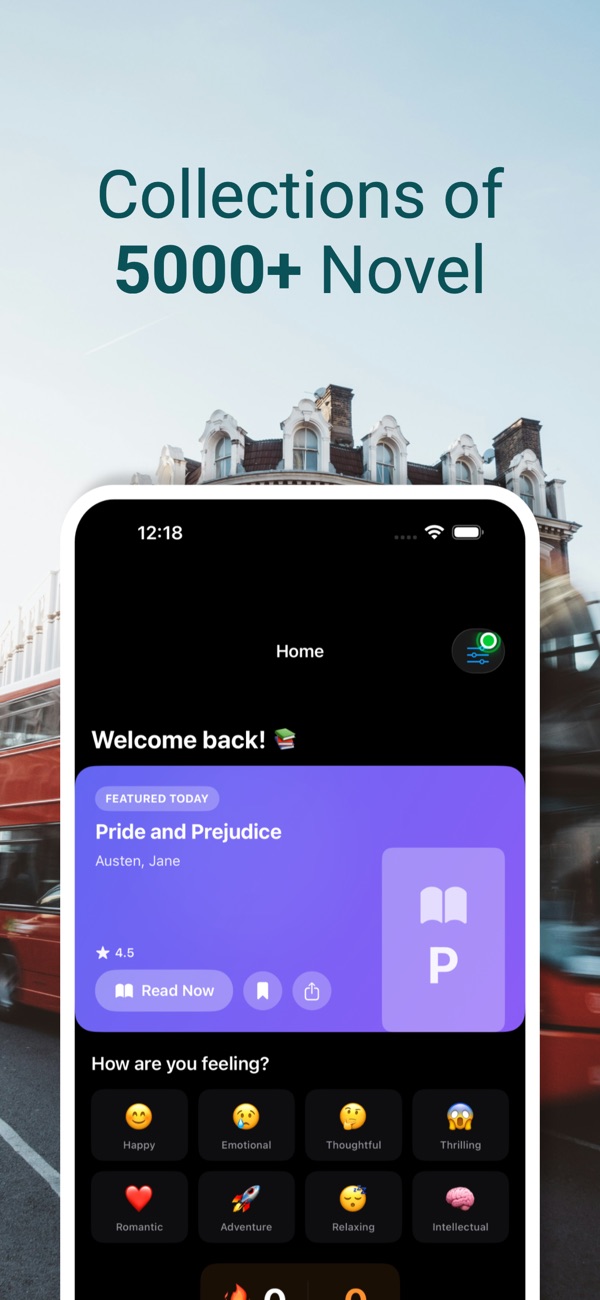
At the time of writing, its App Store listing shows:
- Free, in Magazines & Newspapers and Entertainment
- First released in December 2025
- No ratings yet in the US store
- Supports iOS 16.6 and later
How the listing maps to this article:
| What the listing says | Where it's covered |
|---|---|
| "All books are in the public domain, so you can read them completely" | Why offsets and highlights can be stable (sections 1 and 6) |
| "Download books for offline reading" / "All your downloaded books are stored locally" | Downloads in Application Support, excluded from backup (section 2) |
| "Preview books before downloading" | Range-request previews (section 3) |
| "Customizable reading settings: font size, font family, line height, margins" / "light, dark, and custom color schemes" | The TextKit 2 reader (section 4) |
| "Reading progress tracking" / "Continue reading where you left off" | Character-offset progress (section 5) |
| "Bookmarks and highlights for your favorite passages" | Marks and the edit menu (section 6) |
| "See book ratings, reading time estimates, and difficulty levels" | Reading-time estimates (section 1) |
| "Track your reading statistics…" / "View reading streaks" | Honest reading time (section 7) |
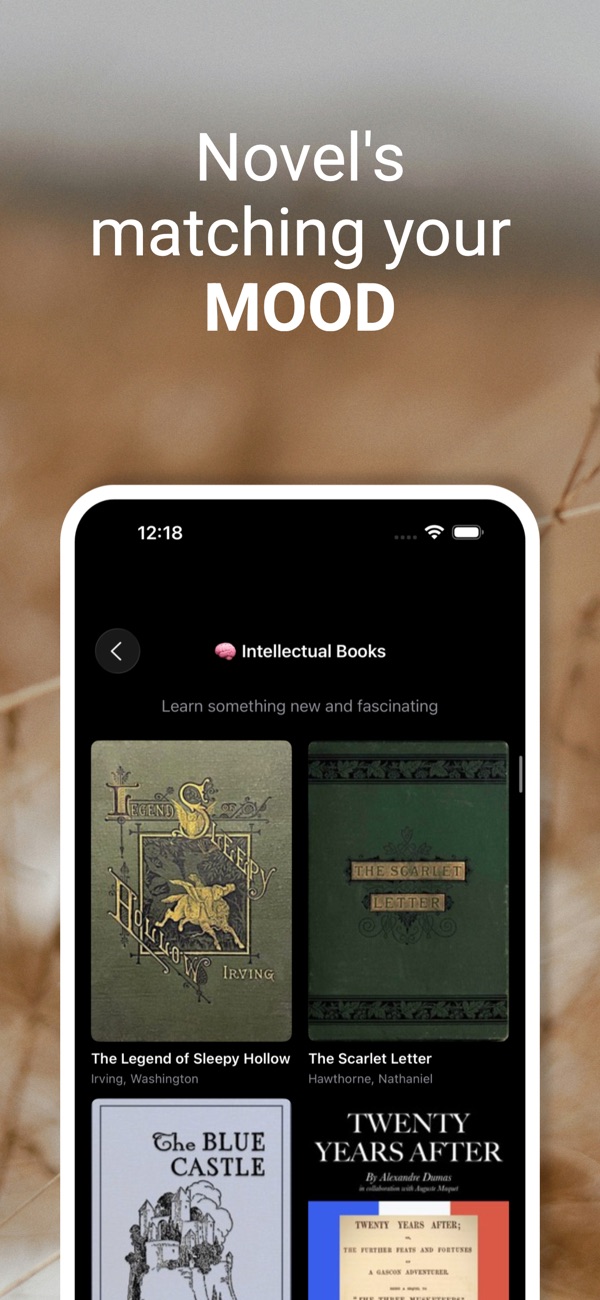
With no ratings yet, the app is at the stage where every piece of feedback shapes it. If you read classics on your phone, I'd love to hear what your current reader gets wrong.
9. Before you ship a reading app: a checklist
- Books live in Application Support, excluded from iCloud backup.
- Previews handle partial UTF-8 and servers that ignore
Range. - Re-layout happens only when settings change; long books load by chapter.
- Progress is stored as a character offset and restored after every settings change.
- Progress is saved on scroll end, not continuously.
- Highlights are offset ranges, with both edit-menu delegate methods (iOS 16 and iOS 26+).
- Dynamic Type works, and the custom font size is a multiplier on top of it.
- Reading time only counts while the reader is active, with an idle cap.
- Themes are tested in a dark room. Pure white on black is harsh; slightly grey text reads better.
- Copyright is respected. Check the public-domain status of every title for the regions you distribute in, because it varies by country.
Wrapping up
A good reader disappears. You open the book, you're exactly where you left off, the text looks the way you like, and nothing reminds you it's an app. Getting there means a few unglamorous decisions: store characters instead of pages, keep books out of backups, re-lay out only when you must, and adopt the new multi-range text APIs while keeping the old ones for older systems.
Try the app, or explore my other work:
- Novels Club (iOS): https://apps.apple.com/us/app/novels-club/id6755921578
- All of my free iOS apps: https://apps.apple.com/us/developer/alok-singh/id1508795536
- My portfolio: https://bestlatestapps.com/alok/
Which classic should everyone read at least once? Tell me in the comments.
— Alok Kumar Singh