Building an Offline-First Bible Reader on iOS: Bundled SQLite, Full-Text Search and iCloud-Synced Notes
How I'd structure a scripture app that works on a plane: a read-only text database, fast search, user data that follows you between devices, read-aloud and a verse-of-the-day widget

The first app I ever published under my App Store developer name was a Bible reader. It went live on 20 April 2020, a day ahead of the next few apps I shipped that month, and today it's called Bible Study AI – Read Offline. It has grown a lot since then: reading plans, devotionals, a prayer journal, widgets and an AI study assistant. But the promise in the name has never changed. It works offline.
"Offline" sounds like a feature you tick off. It isn't. It's an architectural decision, and it shapes everything: where the text lives, how search works, where highlights and notes are saved, how sync behaves when the network comes back, and what you do on a device that has never been online since the app was installed.
This article walks through the architecture I'd recommend for this kind of app: a large, read-only text corpus plus a small amount of precious user data. Scripture is the example, but the same shape fits dictionaries, manuals, legal codes, recipe books and course material. All the code is Swift, and I've checked API names and availability against Apple's developer documentation. Where I'm describing the approach I'd use rather than the app's exact internals, I say so.
1. The problem: two kinds of data with opposite needs
A Bible app holds two very different kinds of data.
The text itself. All 66 books, in several translations; the app's listing mentions KJV, ASV, Webster and World English. That's tens of thousands of verses per translation. It's large, it never changes on the device, and it must be searchable in milliseconds. It belongs to you, the developer, not the user.
What the user creates. Highlights in different colours, notes on verses and chapters, bookmarks, reading-plan progress, prayer journal entries. It's small, it changes all the time, and it's the only data the user would be upset to lose. It belongs to them, and they expect it on their iPad as well as their iPhone.
The mistake I see most often is putting both in one store. Then every app update that fixes a typo in the text has to migrate a database full of user notes, and every sync pushes megabytes of scripture to iCloud for no reason.
So split them:
App bundle (read-only)                 User store (read-write, synced)
┌──────────────────────────┐           ┌──────────────────────────────┐
│ bible.sqlite             │           │ Core Data + CloudKit         │
│  translations, books,    │  verse    │  Highlight, Note, Bookmark,  │
│  chapters, verses        │◀─ id ────▶│  PlanProgress, Prayer        │
│  verses_fts (FTS5)       │           │                              │
└──────────────────────────┘           └──────────────────────────────┘
The only thing that links them is a stable verse identifier. Get that right first.
2. A verse ID that will never change
A verse needs an identifier that's identical across translations, app versions and devices. I use a simple integer: book * 1_000_000 + chapter * 1_000 + verse. John 3:16 is book 43, so its ID is 43_003_016.
struct VerseRef: Hashable, Codable, Comparable {
    let book: Int      // 1...66, canonical order
    let chapter: Int
    let verse: Int

    var id: Int { book * 1_000_000 + chapter * 1_000 + verse }

    init(book: Int, chapter: Int, verse: Int) {
        self.book = book; self.chapter = chapter; self.verse = verse
    }

    init(id: Int) {
        book = id / 1_000_000
        chapter = (id / 1_000) % 1_000
        verse = id % 1_000
    }

    static func < (lhs: VerseRef, rhs: VerseRef) -> Bool { lhs.id < rhs.id }
}
Why an integer and not a string like "JHN.3.16"? It sorts correctly, ranges are cheap (BETWEEN 43003001 AND 43003999 is "all of John 3"), and it's a compact key in both SQLite and Core Data. A highlight saved against 43003016 shows up in KJV and in World English alike, because the ID describes the position, not the wording.
One caveat from experience: versification isn't identical in every tradition. A few translations number some verses differently. If you add a translation that disagrees, map it onto your canonical scheme when you build the database, never at runtime.
3. Shipping the text as a bundled, read-only SQLite database
I build the text database offline with a script, add bible.sqlite to the app target and open it read-only straight from the bundle. No copying to Documents, no migrations, no risk of corruption.
The schema is tiny:
CREATE TABLE verses (
  translation TEXT NOT NULL,   -- 'KJV', 'ASV', 'WEB', ...
  id          INTEGER NOT NULL, -- VerseRef.id
  text        TEXT NOT NULL,
  PRIMARY KEY (translation, id)
) WITHOUT ROWID;

-- Full-text index (built by the script, shipped in the file)
CREATE VIRTUAL TABLE verses_fts USING fts5(
  text, translation UNINDEXED, id UNINDEXED,
  tokenize = 'unicode61 remove_diacritics 2'
);
Opening it from Swift with the system SQLite library:
import Foundation
import SQLite3

enum TextStoreError: Error { case openFailed(String), queryFailed(String) }

final class BibleTextStore {
    private var db: OpaquePointer?

    init() throws {
        guard let url = Bundle.main.url(forResource: "bible", withExtension: "sqlite") else {
            throw TextStoreError.openFailed("bible.sqlite missing from bundle")
        }
        // immutable=1 tells SQLite the file can never change, so it skips locking.
        let uri = "file:\(url.path)?immutable=1"
        let flags = SQLITE_OPEN_READONLY | SQLITE_OPEN_URI
        guard sqlite3_open_v2(uri, &db, flags, nil) == SQLITE_OK else {
            throw TextStoreError.openFailed(String(cString: sqlite3_errmsg(db)))
        }
    }

    deinit { sqlite3_close(db) }

    func chapter(_ book: Int, _ chapter: Int, translation: String) throws -> [(VerseRef, String)] {
        let sql = "SELECT id, text FROM verses WHERE translation = ? AND id BETWEEN ? AND ? ORDER BY id"
        var stmt: OpaquePointer?
        guard sqlite3_prepare_v2(db, sql, -1, &stmt, nil) == SQLITE_OK else {
            throw TextStoreError.queryFailed(String(cString: sqlite3_errmsg(db)))
        }
        defer { sqlite3_finalize(stmt) }

        let start = VerseRef(book: book, chapter: chapter, verse: 0).id
        sqlite3_bind_text(stmt, 1, translation, -1, SQLITE_TRANSIENT)
        sqlite3_bind_int64(stmt, 2, Int64(start))
        sqlite3_bind_int64(stmt, 3, Int64(start + 999))

        var rows: [(VerseRef, String)] = []
        while sqlite3_step(stmt) == SQLITE_ROW {
            let id = Int(sqlite3_column_int64(stmt, 0))
            let text = String(cString: sqlite3_column_text(stmt, 1))
            rows.append((VerseRef(id: id), text))
        }
        return rows
    }
}

// The C macro SQLITE_TRANSIENT doesn't import into Swift; this is the usual stand-in.
private let SQLITE_TRANSIENT = unsafeBitCast(-1, to: sqlite3_destructor_type.self)
Why raw SQLite and not Core Data for the text? Core Data is great for object graphs you edit. A read-only corpus with a full-text index is a different job, and SQLite's FTS5 does that job directly. You can wrap this in GRDB or another library if you prefer; the shape doesn't change.
4. Search that feels instant
The listing promises "Search across all books, chapters, and verses" and "Advanced search with history". With an FTS5 index shipped in the file, the query is one statement:
extension BibleTextStore {
    struct Hit { let ref: VerseRef; let snippet: String }

    func search(_ query: String, translation: String, limit: Int = 100) throws -> [Hit] {
        // Turn "love one another" into "love* one* another*": prefix match on every word.
        let terms = query
            .split(whereSeparator: { !$0.isLetter && !$0.isNumber })
            .map { "\($0)*" }
            .joined(separator: " ")
        guard !terms.isEmpty else { return [] }

        let sql = """
        SELECT id, snippet(verses_fts, 0, '[', ']', '…', 12)
        FROM verses_fts
        WHERE verses_fts MATCH ? AND translation = ?
        ORDER BY rank LIMIT ?
        """
        var stmt: OpaquePointer?
        guard sqlite3_prepare_v2(db, sql, -1, &stmt, nil) == SQLITE_OK else {
            throw TextStoreError.queryFailed(String(cString: sqlite3_errmsg(db)))
        }
        defer { sqlite3_finalize(stmt) }
        sqlite3_bind_text(stmt, 1, terms, -1, SQLITE_TRANSIENT)
        sqlite3_bind_text(stmt, 2, translation, -1, SQLITE_TRANSIENT)
        sqlite3_bind_int(stmt, 3, Int32(limit))

        var hits: [Hit] = []
        while sqlite3_step(stmt) == SQLITE_ROW {
            hits.append(Hit(ref: VerseRef(id: Int(sqlite3_column_int64(stmt, 0))),
                            snippet: String(cString: sqlite3_column_text(stmt, 1))))
        }
        return hits
    }
}
A few things that matter more than the SQL:
- Sanitise the query. FTS5 has its own query syntax; a stray quote or hyphen from the user can cause a syntax error. Splitting on non-alphanumerics and rebuilding the string, as above, avoids that.
- Debounce in the UI. Search on every keystroke, but cancel the previous task. A
.task(id: query)modifier in SwiftUI with a shortTask.sleepat the top gives you that for free. - Run it off the main thread. It's fast, but "fast" on an older iPhone in Low Power Mode isn't the same as on your desk.
- Search history is user data, so it goes in the user store (next section), not the read-only file.
5. User data: Core Data with CloudKit mirroring
The listing says "iCloud sync across all your devices… Access your highlights, notes, and bookmarks anywhere". The app supports iOS 16.0 and later, which rules out SwiftData (iOS 17+). The natural fit is NSPersistentCloudKitContainer (iOS 13+), which keeps a normal local Core Data store and mirrors it to the user's private CloudKit database in the background.
That's exactly the offline-first behaviour you want: every write goes to the local store first and works with no network; sync catches up later.
import CoreData

final class UserStore {
    static let shared = UserStore()
    let container: NSPersistentCloudKitContainer

    private init() {
        container = NSPersistentCloudKitContainer(name: "UserData") // UserData.xcdatamodeld

        guard let description = container.persistentStoreDescriptions.first else {
            fatalError("No store description")
        }
        description.cloudKitContainerOptions =
            NSPersistentCloudKitContainerOptions(containerIdentifier: "iCloud.com.example.bible")
        // Needed so the app can react to changes that arrive from other devices.
        description.setOption(true as NSNumber, forKey: NSPersistentHistoryTrackingKey)
        description.setOption(true as NSNumber,
                              forKey: NSPersistentStoreRemoteChangeNotificationPostOptionKey)

        container.loadPersistentStores { _, error in
            if let error { print("Store failed to load: \(error)") }
        }
        container.viewContext.automaticallyMergesChangesFromParent = true
        container.viewContext.mergePolicy = NSMergeByPropertyObjectTrumpMergePolicy
    }
}
The Highlight entity is deliberately boring: verseID (Integer 64), translation (String, optional), colorName (String), createdAt (Date) and a UUID id. A few CloudKit rules shape that model, and they catch everyone once:
- Every attribute must be optional or have a default value. CloudKit can deliver records in any order and partially.
- No unique constraints. CloudKit mirroring doesn't support them. If the user highlights the same verse on two offline devices, you'll get two rows; de-duplicate in code (keep the newest per
verseID). - Relationships must be optional and need inverses.
- Enable the capabilities: iCloud with CloudKit and your container, plus Background Modes → Remote notifications, so pushes from CloudKit can wake the app to sync.
- Deploy the schema to production in the CloudKit Console before you ship. A development schema works on your device and silently fails for users. During development,
initializeCloudKitSchema(options:)can create the schema from your model for you.
Saving a highlight is then plain Core Data:
extension UserStore {
    func toggleHighlight(_ ref: VerseRef, color: String) throws {
        let context = container.viewContext
        let request = NSFetchRequest<NSManagedObject>(entityName: "Highlight")
        request.predicate = NSPredicate(format: "verseID == %lld", Int64(ref.id))

        let existing = try context.fetch(request)
        if existing.isEmpty {
            let h = NSEntityDescription.insertNewObject(forEntityName: "Highlight", into: context)
            h.setValue(UUID(), forKey: "id")
            h.setValue(Int64(ref.id), forKey: "verseID")
            h.setValue(color, forKey: "colorName")
            h.setValue(Date(), forKey: "createdAt")
        } else {
            existing.forEach(context.delete) // also cleans up offline duplicates
        }
        try context.save()
    }
}
On the reading screen, fetch highlights for the chapter's ID range and merge them with the verse rows from SQLite in a view model. The two stores never need to know about each other.
6. Listen mode with AVSpeechSynthesizer
The listing's "Listen & Read" section mentions text-to-speech and auto-scroll. On iOS that's AVSpeechSynthesizer (iOS 7+), and its delegate tells you which range of text is about to be spoken, which is all you need to highlight and scroll along.
import AVFoundation

@MainActor
final class ReadAloud: NSObject, ObservableObject, AVSpeechSynthesizerDelegate {
    @Published var currentVerse: VerseRef?
    private let synth = AVSpeechSynthesizer()
    private var refs: [ObjectIdentifier: VerseRef] = [:]

    override init() {
        super.init()
        synth.delegate = self
    }

    func speak(chapter verses: [(VerseRef, String)], language: String = "en-US") {
        synth.stopSpeaking(at: .immediate)
        refs = [:]
        for (ref, text) in verses {
            let u = AVSpeechUtterance(string: text)
            u.voice = AVSpeechSynthesisVoice(language: language)
            u.rate = AVSpeechUtteranceDefaultSpeechRate
            u.postUtteranceDelay = 0.15        // a breath between verses
            refs[ObjectIdentifier(u)] = ref
            synth.speak(u)                     // utterances are queued in order
        }
    }

    func pause() { synth.pauseSpeaking(at: .word) }
    func resume() { synth.continueSpeaking() }

    nonisolated func speechSynthesizer(_ s: AVSpeechSynthesizer,
                                       didStart utterance: AVSpeechUtterance) {
        let key = ObjectIdentifier(utterance)
        Task { @MainActor in
            self.currentVerse = self.refs[key]
        }
    }
}
The view observes currentVerse and calls ScrollViewReader.scrollTo(_:anchor:) with the verse ID. For word-level highlighting, implement speechSynthesizer(_:willSpeakRangeOfSpeechString:utterance:) as well.
Two practical notes. If you want speech to continue with the screen locked ("perfect for listening while commuting"), set the audio session category to .playback and add the audio background mode, and only while speech is actually running. And the voices available vary by device and by what the user has downloaded in Settings, so let them pick, and fall back gracefully when AVSpeechSynthesisVoice(language:) returns nil.
7. Verse of the Day on the Home Screen with WidgetKit
The listing has "Home screen widgets: quick access to verse of the day". A widget runs in its own extension process, so it can't reach into the app's memory. Two things make this simple with the architecture above:
- The text database is read-only and in the bundle, so the widget extension can ship its own copy (or you can share it through an App Group container). No sync needed.
- The verse of the day is a deterministic function of the date. Every device shows the same verse without a server.
import WidgetKit
import SwiftUI

struct VerseEntry: TimelineEntry {
    let date: Date
    let reference: String
    let text: String
}

struct VerseProvider: TimelineProvider {
    func placeholder(in context: Context) -> VerseEntry {
        VerseEntry(date: .now, reference: "John 3:16", text: "For God so loved the world…")
    }

    func getSnapshot(in context: Context, completion: @escaping (VerseEntry) -> Void) {
        completion(entry(for: .now))
    }

    func getTimeline(in context: Context, completion: @escaping (Timeline<VerseEntry>) -> Void) {
        let now = Date()
        let tomorrow = Calendar.current.startOfDay(for: now.addingTimeInterval(86_400))
        completion(Timeline(entries: [entry(for: now)], policy: .after(tomorrow)))
    }

    private func entry(for date: Date) -> VerseEntry {
        // Pick from a curated list by day-of-year: same verse for everyone, every device.
        let day = Calendar.current.ordinality(of: .day, in: .year, for: date) ?? 1
        let pick = DailyVerses.list[(day - 1) % DailyVerses.list.count]
        return VerseEntry(date: date, reference: pick.reference, text: pick.text)
    }
}

struct VerseOfTheDayWidget: Widget {
    var body: some WidgetConfiguration {
        StaticConfiguration(kind: "VerseOfTheDay", provider: VerseProvider()) { entry in
            VStack(alignment: .leading, spacing: 6) {
                Text(entry.text).font(.callout).lineLimit(5)
                Text(entry.reference).font(.caption).foregroundStyle(.secondary)
            }
            .containerBackground(.fill.tertiary, for: .widget) // iOS 17+
        }
        .configurationDisplayName("Verse of the Day")
        .supportedFamilies([.systemSmall, .systemMedium])
    }
}
DailyVerses.list is a small curated array compiled into the extension. With an iOS 16 deployment target, wrap containerBackground in an availability check, since that modifier is iOS 17+. The .after(tomorrow) policy asks WidgetKit to refresh just after midnight. It's a request, not a guarantee, so the entry should still read correctly if WidgetKit refreshes a bit late.
8. Real-world example: Bible Study AI – Read Offline
All of this comes from building and maintaining my own app, Bible Study AI – Read Offline. The patterns above are the approach I'd use and recommend; I'm describing the architecture, not giving a line-by-line tour of the shipping code.
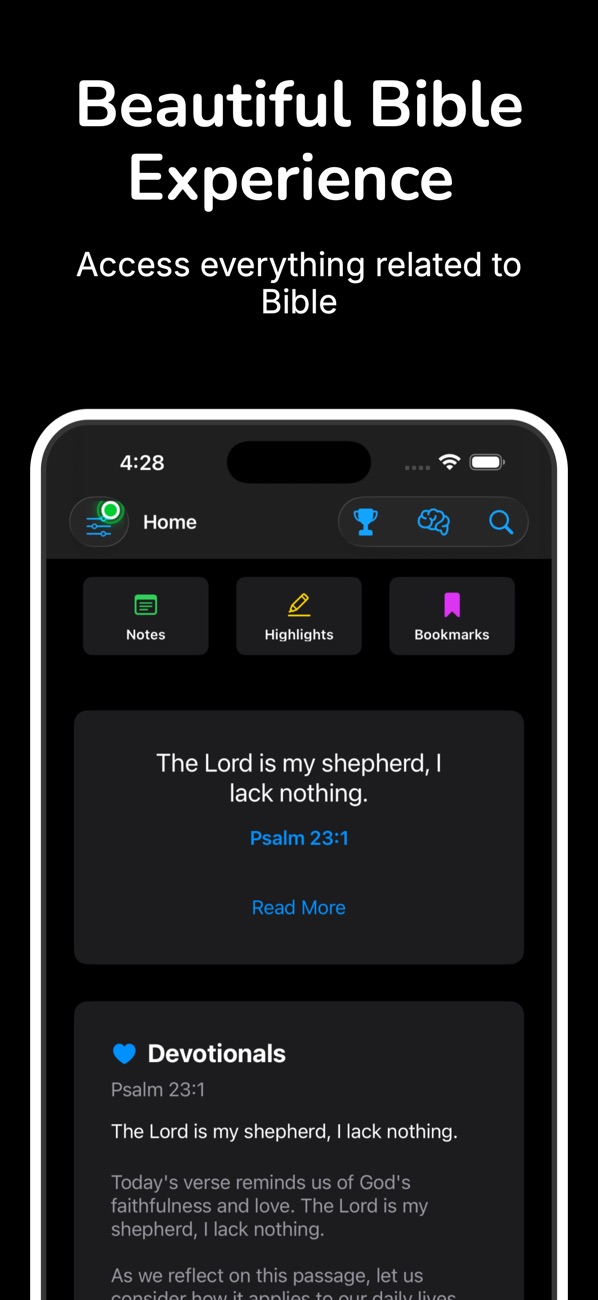
At the time of writing, its public App Store listing shows:
- Free, in the Books and Education categories
- First released in April 2020: my first app on the store
- 113 ratings in the US store, averaging about 4.6 stars
- Supports iOS 16.0 and later, on iPhone and iPad
Here's how the listing's features map to the sections above:
| What the listing says | Where it's covered |
|---|---|
| "Read all 66 books of the Bible offline" / "Multiple translations: KJV, ASV, Webster, World English, and more" | Bundled read-only SQLite, one table keyed by translation + verse ID (sections 2–3) |
| "Search across all books, chapters, and verses" / "Advanced search with history" | FTS5 index shipped in the file, sanitised prefix queries (section 4) |
| "Highlight verses with multiple colors" / "Add personal notes" / "Bookmark favorite passages" | Small Core Data entities keyed by verse ID (section 5) |
| "iCloud sync across all your devices" | NSPersistentCloudKitContainer mirroring to the private database (section 5) |
| "Text-to-speech support" / "Auto-scroll for hands-free reading" | AVSpeechSynthesizer and its delegate driving the scroll position (section 6) |
| "Home screen widgets: quick access to verse of the day" | WidgetKit StaticConfiguration, date-derived entry (section 7) |
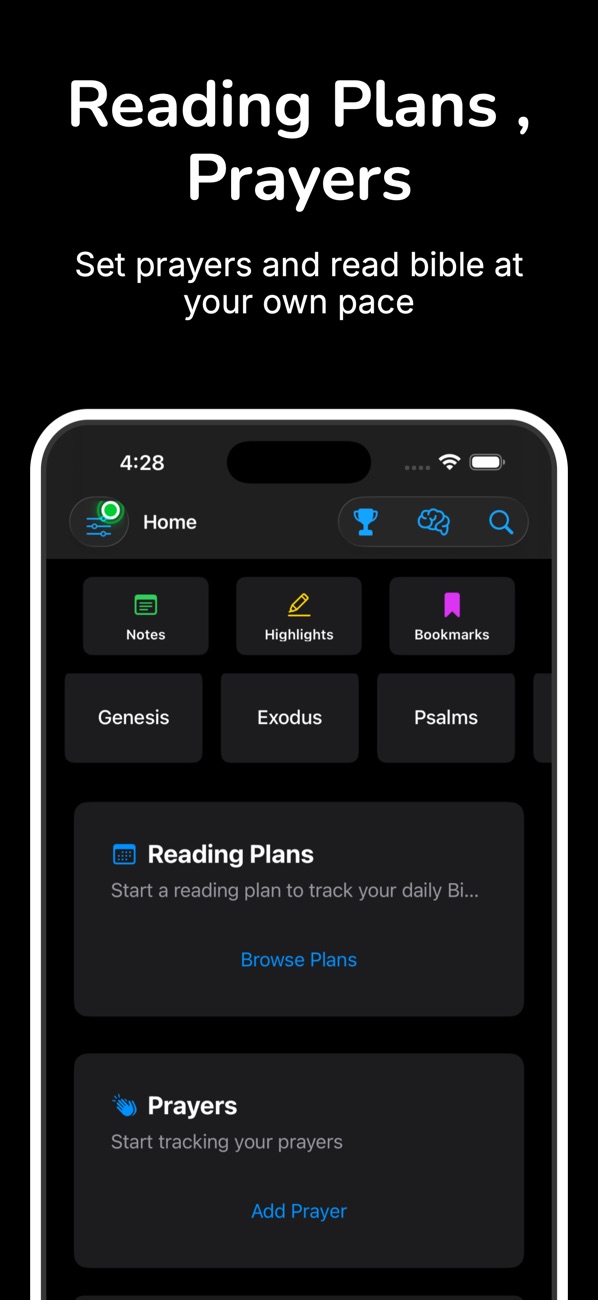
The listing also covers reading plans, daily devotionals, a prayer journal with reminders and a "Bible Study Assistant" for AI-powered answers. Those all sit on top of the same split: plan progress and prayers are user data in the synced store, reminders are local notifications, and the assistant is the one feature that needs a network. I've left the AI part out of this article on purpose. It's the one piece that isn't offline, and the most important design rule there is simply to make sure the rest of the app never waits on it.
9. Before you ship an offline-first reader: a checklist
- Airplane-mode test from a fresh install. Delete the app, turn on Airplane Mode, install from TestFlight… then read, search, highlight, take a note and listen. Everything except network features must work.
- Text and user data are separate. The corpus is read-only in the bundle; user data lives in its own store. An app update that changes the text never touches user data.
- Stable IDs everywhere. Every highlight, note and bookmark points at a canonical verse ID, never at a row number or a translation-specific string.
- The CloudKit model follows the rules. Optional attributes or defaults, no unique constraints, optional relationships with inverses, and the schema is deployed to production.
- Duplicates are handled. Two offline devices editing the same verse produce two records; your code merges them predictably.
- Search can't crash on user input. Quotes, hyphens, emoji and other scripts are all tested against your FTS query builder.
- Background audio is honest. The
audiomode is used only while read-aloud is playing, and the session is deactivated when it stops. - The widget works with no app launch. Install, add the widget, never open the app: it should still show a verse.
Wrapping up
Offline-first sounds like a constraint, but for a reading app it makes things simpler. A read-only database in the bundle can't be corrupted and never needs migrating. A small, separate user store syncs cheaply. And a verse ID that never changes ties the two together. Add AVSpeechSynthesizer and WidgetKit and you get most of what people want from a daily reading app, without a single required network call.
If you want to see where this ended up, try the app:
- Bible Study AI – Read Offline (iOS): https://apps.apple.com/us/app/bible-study-ai-read-offline/id1508795537
- All of my free iOS apps: https://apps.apple.com/us/developer/alok-singh/id1508795536
- My portfolio: https://bestlatestapps.com/alok/
If you've built a large offline corpus on iOS and solved sync or search differently, tell me in the comments. I'm always curious how other people draw the line between "bundled" and "user" data.
— Alok Kumar Singh