From Barcode to PDF: Building a Private, Offline Medication Tracker with VisionKit, WidgetKit and PDFKit
Scanning a box to add a medication, a SwiftData model shared with widgets, adherence statistics, a doctor-ready PDF report, and CSV/JSON export that keeps everything on the device
I have two medication apps on the App Store. The first, Daily Pills | Reminder, does one thing: remind you on time and count your supply. I've written about its notification engineering separately. The second, Track Your Pills, came out of what people asked for next: "Can I just scan the box?" "Can I show my doctor what I've actually taken?" "Can I see today's doses without opening the app?"
Track Your Pills launched in February 2023. Its listing covers medications added "with photos, barcodes, or manual entry", tablets, capsules, syrups and injections, adherence calendars and statistics, PDF reports to "share with healthcare providers", home-screen widgets, CSV and JSON export with backup and restore, and a firm privacy line: "All data stored locally on your device… No account creation needed."
This article covers the parts that are different from a plain reminder app. Those are barcode capture with VisionKit, a SwiftData model the app and its widgets can share, adherence maths, a PDF report built with UIGraphicsPDFRenderer, and export and import. I'm leaving out the notification side on purpose, because the Daily Pills article covers it. API names and availability are checked against Apple's documentation, and I describe the approach I'd use rather than the app's exact source.
1. The model, shared by the app and its widgets
The app targets iOS 17.6 and later, so SwiftData is available. The model separates what the medication is from what happened:
import SwiftData
import Foundation

@Model
final class Medication {
    var name: String
    var form: String                 // "tablet", "capsule", "syrup", "injection"
    var strength: String?            // "500 mg", "5 ml"
    var barcode: String?
    @Attribute(.externalStorage) var photo: Data?
    var quantityRemaining: Double    // Double: syrups are measured in ml
    var dosePerIntake: Double
    var scheduleTimes: [DateComponents]
    var startDate: Date
    var endDate: Date?
    @Relationship(deleteRule: .cascade, inverse: \Intake.medication) var intakes: [Intake] = []

    init(name: String, form: String, quantityRemaining: Double, dosePerIntake: Double,
         scheduleTimes: [DateComponents], startDate: Date = .now) {
        self.name = name; self.form = form
        self.quantityRemaining = quantityRemaining; self.dosePerIntake = dosePerIntake
        self.scheduleTimes = scheduleTimes; self.startDate = startDate
    }
}

@Model
final class Intake {
    enum Status: String, Codable { case taken, missed, skipped }
    var scheduledAt: Date
    var loggedAt: Date?
    var statusRaw: String
    var medication: Medication?

    var status: Status { Status(rawValue: statusRaw) ?? .missed }

    init(scheduledAt: Date, status: Status, loggedAt: Date? = .now) {
        self.scheduledAt = scheduledAt; self.statusRaw = status.rawValue; self.loggedAt = loggedAt
    }
}
@Attribute(.externalStorage) keeps photos out of the main database file. Each intake records both the scheduled time and the logged time, which lets the report distinguish "taken on time" from "taken two hours late".
Widgets run in a separate process, so the store has to live somewhere both processes can reach. That's an App Group container:
enum SharedStore {
    static let appGroup = "group.com.example.trackyourpills"

    static func makeContainer() throws -> ModelContainer {
        let config = ModelConfiguration(
            "Medications",
            groupContainer: .identifier(appGroup),   // same file for app and widget extension
            cloudKitDatabase: .none                  // "No cloud sync required"
        )
        return try ModelContainer(for: Medication.self, Intake.self, configurations: config)
    }
}
Add the App Groups capability to both the app and widget targets with the same identifier. cloudKitDatabase: .none is the explicit, privacy-preserving choice. SwiftData otherwise looks for a CloudKit container if the iCloud capability is present.
2. Adding a medication by scanning its barcode
DataScannerViewController (VisionKit, iOS 16+) gives you a live camera view that recognises text and machine-readable codes, with highlighting and guidance built in. You don't need to build a capture session.
import SwiftUI
import VisionKit

struct BarcodeScannerView: UIViewControllerRepresentable {
    var onCode: (String) -> Void

    static var canScan: Bool {
        DataScannerViewController.isSupported && DataScannerViewController.isAvailable
    }

    func makeUIViewController(context: Context) -> DataScannerViewController {
        let scanner = DataScannerViewController(
            recognizedDataTypes: [.barcode(symbologies: [.ean13, .ean8, .upce, .code128, .dataMatrix])],
            qualityLevel: .balanced,
            recognizesMultipleItems: false,
            isHighFrameRateTrackingEnabled: false,
            isHighlightingEnabled: true)
        scanner.delegate = context.coordinator
        try? scanner.startScanning()
        return scanner
    }

    func updateUIViewController(_ controller: DataScannerViewController, context: Context) {}

    func makeCoordinator() -> Coordinator { Coordinator(onCode: onCode) }

    final class Coordinator: NSObject, DataScannerViewControllerDelegate {
        let onCode: (String) -> Void
        private var delivered = false
        init(onCode: @escaping (String) -> Void) { self.onCode = onCode }

        func dataScanner(_ scanner: DataScannerViewController,
                         didAdd addedItems: [RecognizedItem], allItems: [RecognizedItem]) {
            guard !delivered else { return }
            for item in addedItems {
                if case .barcode(let code) = item, let value = code.payloadStringValue {
                    delivered = true
                    scanner.stopScanning()
                    onCode(value)
                    return
                }
            }
        }
    }
}
Practical notes:
- Check both flags. Apple's docs say
isSupportedrequires a device with the A12 Bionic chip or later.isAvailableadditionally reflects camera permission and restrictions. When either is false, fall back to manual entry; never show a dead button. - Add
NSCameraUsageDescription, for example: "Scan the barcode on your medication box to fill in its details." - Pick the symbologies you need. Retail packaging is mostly EAN/UPC, and many pharmaceutical packs carry a GS1 DataMatrix. A narrower list means faster, more reliable recognition.
From code to name: an on-device lookup
The listing mentions "Auto-fill from extensive medication name database" and "Barcode scanning for instant medication lookup", and also says "No internet connection required". The approach that satisfies both is a bundled, read-only lookup table: barcode → name, form and strength. Then fall back to the user's own history: if they've scanned this code before, reuse what they typed.
struct MedicationCatalog {
    struct Entry: Decodable { let name: String; let form: String; let strength: String? }
    private let byBarcode: [String: Entry]

    init() {
        let url = Bundle.main.url(forResource: "catalog", withExtension: "json")!
        byBarcode = (try? JSONDecoder().decode([String: Entry].self, from: Data(contentsOf: url))) ?? [:]
    }

    func lookup(_ code: String) -> Entry? { byBarcode[code] }
}
Always show the result as an editable form, never a silent auto-save. A wrong strength is a dangerous error.
3. Adherence: the numbers behind the calendar
"Visual adherence calendar", "weekly and overall adherence statistics" and "per-medication adherence metrics" all come from one calculation: of the doses that were due, how many were taken?
import Foundation

struct AdherenceStats {
    let due: Int
    let taken: Int
    let late: Int        // taken, but more than the grace window after schedule
    var rate: Double { due == 0 ? 1 : Double(taken) / Double(due) }
}

enum Adherence {
    static let lateThreshold: TimeInterval = 60 * 60     // 1 hour

    static func stats(for intakes: [Intake], in interval: DateInterval) -> AdherenceStats {
        let due = intakes.filter { interval.contains($0.scheduledAt) && $0.status != .skipped }
        let taken = due.filter { $0.status == .taken }
        let late = taken.filter { ($0.loggedAt ?? $0.scheduledAt)
            .timeIntervalSince($0.scheduledAt) > lateThreshold }
        return AdherenceStats(due: due.count, taken: taken.count, late: late.count)
    }

    /// One value per day, for the calendar heat map.
    static func daily(for intakes: [Intake], days: Int, calendar: Calendar = .current)
        -> [(day: Date, rate: Double?)] {
        let today = calendar.startOfDay(for: .now)
        return (0..<days).reversed().compactMap { offset in
            guard let day = calendar.date(byAdding: .day, value: -offset, to: today),
                  let next = calendar.date(byAdding: .day, value: 1, to: day) else { return nil }
            let s = stats(for: intakes, in: DateInterval(start: day, end: next))
            return (day, s.due == 0 ? nil : s.rate)          // nil = nothing scheduled: grey cell
        }
    }
}
Two definitions you have to choose deliberately, and should explain on screen:
- Skipped is not missed. If a doctor said "skip today", that dose shouldn't hurt the adherence score. Exclude skipped doses from due.
- No dose scheduled ≠ 100%. A day with nothing due should render as empty, not as a perfect green square.
Swift Charts' RectangleMark makes the calendar heat map straightforward, with foregroundStyle(by:) binned into three or four colour bands.
4. A doctor-ready PDF with UIGraphicsPDFRenderer
"Generate detailed medication reports… Share reports with healthcare providers… Printable format for medical records." UIGraphicsPDFRenderer (iOS 10+) turns drawing code into PDF data. A report is just text and table rows drawn page by page:
import UIKit

struct ReportRow { let name: String; let schedule: String; let adherence: String; let remaining: String }

enum PDFReport {
    static func make(title: String, period: String, rows: [ReportRow]) -> Data {
        let page = CGRect(x: 0, y: 0, width: 595, height: 842)          // A4 in points
        let margin: CGFloat = 40
        let format = UIGraphicsPDFRendererFormat()
        format.documentInfo = [kCGPDFContextTitle as String: title,
                               kCGPDFContextCreator as String: "Track Your Pills"]
        let renderer = UIGraphicsPDFRenderer(bounds: page, format: format)

        let titleAttrs: [NSAttributedString.Key: Any] = [.font: UIFont.boldSystemFont(ofSize: 20)]
        let headAttrs: [NSAttributedString.Key: Any] = [.font: UIFont.boldSystemFont(ofSize: 11)]
        let bodyAttrs: [NSAttributedString.Key: Any] = [.font: UIFont.systemFont(ofSize: 11)]
        let columns: [CGFloat] = [margin, 230, 360, 460]

        return renderer.pdfData { ctx in
            var y: CGFloat = 0

            func newPage() {
                ctx.beginPage()
                y = margin
                (title as NSString).draw(at: CGPoint(x: margin, y: y), withAttributes: titleAttrs)
                y += 30
                (period as NSString).draw(at: CGPoint(x: margin, y: y), withAttributes: bodyAttrs)
                y += 28
                for (i, h) in ["Medication", "Schedule", "Adherence", "Remaining"].enumerated() {
                    (h as NSString).draw(at: CGPoint(x: columns[i], y: y), withAttributes: headAttrs)
                }
                y += 20
            }

            newPage()
            for row in rows {
                if y > page.height - margin - 40 { newPage() }       // paginate
                for (i, text) in [row.name, row.schedule, row.adherence, row.remaining].enumerated() {
                    (text as NSString).draw(in: CGRect(x: columns[i], y: y,
                                                       width: (i < 3 ? columns[i + 1] : page.width - margin) - columns[i] - 8,
                                                       height: 32), withAttributes: bodyAttrs)
                }
                y += 34
            }

            let footer = "Generated on this device. Not medical advice; review with your clinician."
            (footer as NSString).draw(at: CGPoint(x: margin, y: page.height - margin),
                                      withAttributes: [.font: UIFont.italicSystemFont(ofSize: 9)])
        }
    }
}
To preview it, wrap PDFView (PDFKit, iOS 11+) in a UIViewRepresentable, set document = PDFDocument(data: data) and autoScales = true. To share or print, write the data to a temporary file named something human, like "Medication report – Oct 2026.pdf", and hand the URL to ShareLink. The system share sheet includes Print, Mail and Files, so you don't need any extra UI for "printable".
5. Widgets that read the shared store
"Home screen widgets for quick medication view… Upcoming medication reminders… Adherence at a glance." The widget's timeline provider opens the same App Group container and computes the next doses:
import WidgetKit
import SwiftData
import SwiftUI

struct NextDoseEntry: TimelineEntry {
    let date: Date
    let upcoming: [(name: String, at: Date)]
    let todayRate: Double?
}

struct NextDoseProvider: TimelineProvider {
    func placeholder(in context: Context) -> NextDoseEntry {
        NextDoseEntry(date: .now, upcoming: [("Vitamin D", .now)], todayRate: 1)
    }

    func getSnapshot(in context: Context, completion: @escaping (NextDoseEntry) -> Void) {
        completion(makeEntry(at: .now))
    }

    func getTimeline(in context: Context, completion: @escaping (Timeline<NextDoseEntry>) -> Void) {
        let entry = makeEntry(at: .now)
        // Refresh just after the next dose time, or in an hour if nothing is due.
        let next = entry.upcoming.first?.at.addingTimeInterval(60) ?? .now.addingTimeInterval(3600)
        completion(Timeline(entries: [entry], policy: .after(next)))
    }

    private func makeEntry(at now: Date) -> NextDoseEntry {
        guard let container = try? SharedStore.makeContainer() else {
            return NextDoseEntry(date: now, upcoming: [], todayRate: nil)
        }
        let context = ModelContext(container)
        let meds = (try? context.fetch(FetchDescriptor<Medication>())) ?? []
        let cal = Calendar.current
        let upcoming = meds.flatMap { med in
            med.scheduleTimes.compactMap { comps in
                cal.nextDate(after: now, matching: comps, matchingPolicy: .nextTime)
                    .map { (name: med.name, at: $0) }
            }
        }
        .sorted { $0.at < $1.at }
        .prefix(3)
        let today = DateInterval(start: cal.startOfDay(for: now), duration: 86_400)
        let stats = Adherence.stats(for: meds.flatMap(\.intakes), in: today)
        return NextDoseEntry(date: now, upcoming: Array(upcoming),
                             todayRate: stats.due == 0 ? nil : stats.rate)
    }
}
When the app logs a dose, call WidgetCenter.shared.reloadTimelines(ofKind:), so the widget updates now rather than at its next scheduled refresh.
Keep widget work small. Fetch, compute three items and return. Widgets have tight time and memory budgets.
6. Export, backup and restore without a server
"Export data in CSV or JSON formats… Complete backup and restore… Privacy-focused: all data stored locally." With no account and no cloud, export is the backup strategy, so treat it as a first-class feature.
import Foundation
import CoreTransferable
import UniformTypeIdentifiers

struct BackupFile: Codable {
    struct Med: Codable {
        let name, form: String; let strength, barcode: String?
        let quantityRemaining, dosePerIntake: Double
        let scheduleTimes: [DateComponents]; let startDate: Date; let endDate: Date?
        let intakes: [IntakeDTO]
    }
    struct IntakeDTO: Codable { let scheduledAt: Date; let loggedAt: Date?; let status: String }

    var version = 1                 // bump when the format changes; migrate on import
    let exportedAt: Date
    let medications: [Med]
}

extension BackupFile: Transferable {
    static var transferRepresentation: some TransferRepresentation {
        DataRepresentation(exportedContentType: .json) { backup in
            let encoder = JSONEncoder()
            encoder.dateEncodingStrategy = .iso8601
            encoder.outputFormatting = [.prettyPrinted, .sortedKeys]
            return try encoder.encode(backup)
        }
        .suggestedFileName("TrackYourPills-backup.json")
    }
}

enum CSVExport {
    static func intakes(_ meds: [Medication]) -> String {
        func esc(_ s: String) -> String { "\"\(s.replacingOccurrences(of: "\"", with: "\"\""))\"" }
        let iso = ISO8601DateFormatter()
        var lines = ["medication,scheduled_at,logged_at,status"]
        for med in meds {
            for i in med.intakes.sorted(by: { $0.scheduledAt < $1.scheduledAt }) {
                lines.append([esc(med.name), iso.string(from: i.scheduledAt),
                              i.loggedAt.map(iso.string(from:)) ?? "", i.statusRaw].joined(separator: ","))
            }
        }
        return lines.joined(separator: "\n")
    }
}
ShareLink(item: backup, preview: SharePreview("Backup")) (iOS 16+) then lets the user save to Files, AirDrop it to another device or email it to themselves, all under their control. For restore, .fileImporter(isPresented:allowedContentTypes:onCompletion:) with [.json] picks the file. Decode it, check version, and import inside a single ModelContext transaction, so a bad file can't leave half a database.
A design rule I'd hold to: JSON is the backup, CSV is the report. CSV is for spreadsheets and doctors and loses structure; only JSON round-trips. Label them that way in the UI.
If you use fileExporter instead of ShareLink, note that Apple's current docs mark the original fileExporter(isPresented:document:contentType:defaultFilename:onCompletion:) as deprecated in iOS 27.2, in favour of the overload that adds onCancellation:.
7. Interaction warnings: handle with great care
The listing includes a "Drug Interaction Checker" with "Safety alerts before adding new medications" and "Medical disclaimers and recommendations". The technical side is simple: a bundled table of known interacting pairs, checked when a medication is added. The responsibility side is not:
- Offline data ages. Show the data's version date in the warning.
- Absence of a warning isn't safety. Word it as "No interactions found in this app's list", never "safe to combine".
- Never block, always refer. Warn, show the source and recommend checking with a pharmacist or doctor.
I won't publish a table here; the content is the hard part, and it must come from a reliable, licensed source.
8. Real-world example: Track Your Pills
All of this describes the approach I'd use, and recommend, for Track Your Pills.
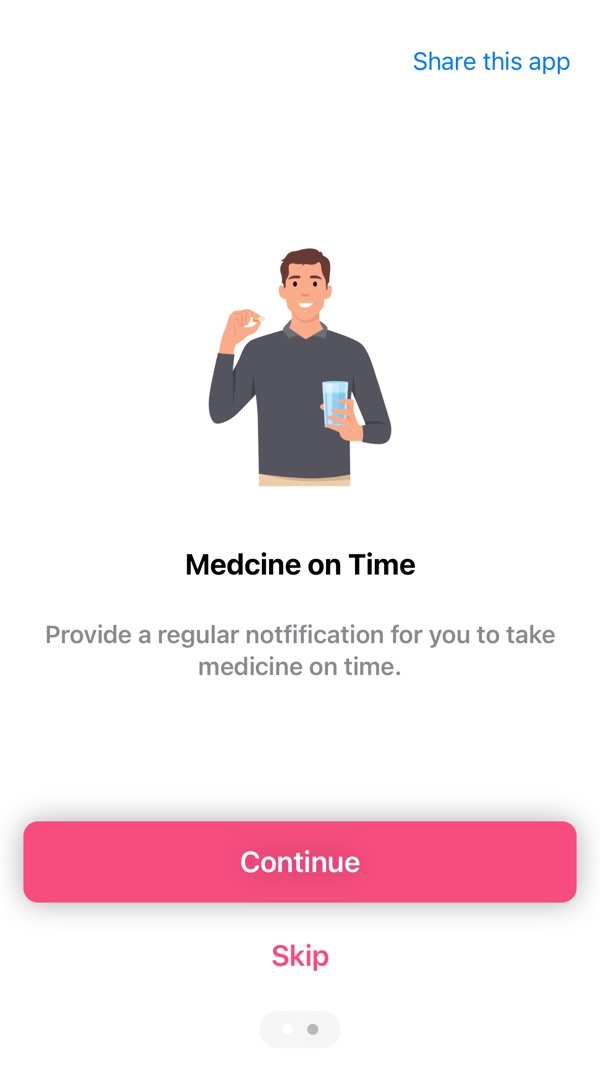
At the time of writing, its App Store listing shows:
- Free, in Medical and Health & Fitness
- First released in February 2023
- 7 ratings in the US store, averaging about 4.7 stars
- Supports iOS 17.6 and later
How the listing maps to this article:
| What the listing says | Where it's covered |
|---|---|
| "Add medications with photos, barcodes, or manual entry" / "Barcode scanning for instant medication lookup" | DataScannerViewController plus a bundled lookup, with manual fallback (section 2) |
| "Support for tablets, capsules, syrups, and injections" | form and a Double quantity in the model (section 1) |
| "Visual adherence calendar… Weekly and overall adherence statistics" | Due vs taken, skipped excluded (section 3) |
| "Generate detailed medication reports… Share reports with healthcare providers" | UIGraphicsPDFRenderer, PDFView preview, ShareLink (section 4) |
| "Home screen widgets… Upcoming medication reminders… Adherence at a glance" | App Group SwiftData store read by a TimelineProvider (sections 1, 5) |
| "Export data in CSV or JSON formats… Complete backup and restore" | Transferable JSON backup, CSV report, versioned import (section 6) |
| "All data stored locally… No cloud sync required… No account creation needed" | cloudKitDatabase: .none, no server, user-controlled export (sections 1, 6) |
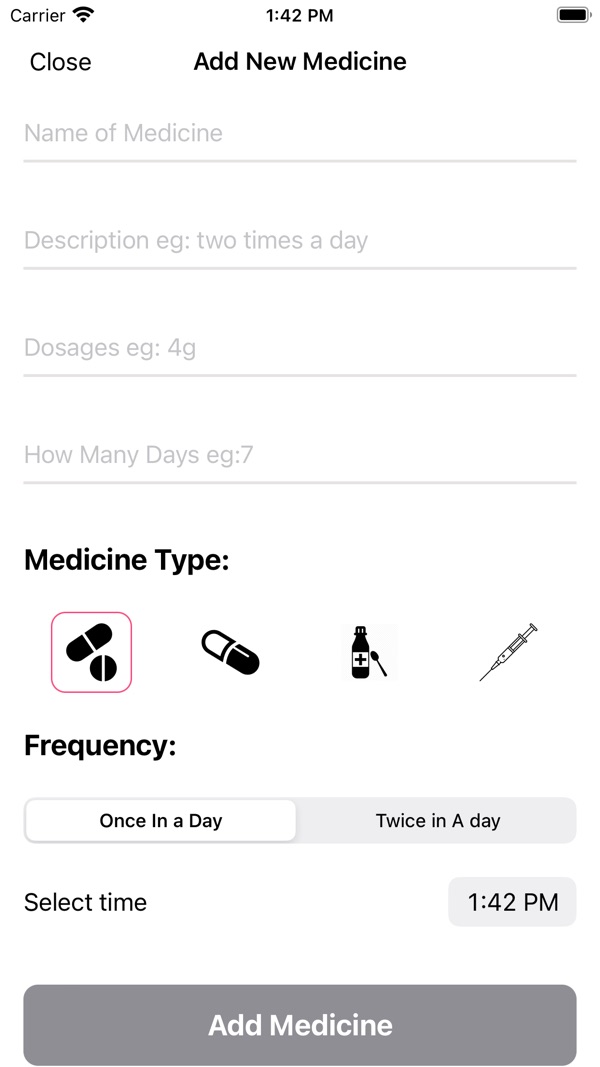
The reminder side of the listing (pre-alarms, quiet hours, escalating reminders) is local-notification work. The patterns in my Daily Pills article, deterministic identifiers and the 64-pending-notification budget, apply directly, and escalation makes that budget matter even more.
9. Before you ship a medication tracker: a checklist
- Scanning degrades gracefully. Unsupported devices and denied camera access both lead to manual entry.
- Scanned data is always reviewed by the user before it's saved.
- The store lives in an App Group, and widgets read it without crashing on first launch, before any data exists.
- Adherence definitions are explicit: skipped vs missed, late threshold, and days with nothing due.
- The PDF paginates, has a title, a date range and a disclaimer, and opens cleanly in Files and Mail.
- The JSON backup round-trips. Export, delete the app, reinstall, import: every record comes back.
- Backups are versioned, and import is all-or-nothing.
- Privacy claims are literally true: no CloudKit, no analytics surprises, and accurate App Privacy details.
- Interaction warnings are worded carefully and dated, and always refer the user to a professional.
Wrapping up
A medication tracker becomes trustworthy through small, careful pieces: input that's fast but always confirmed, a clear model of what happened, statistics with honest definitions, and reports and exports that keep the user in control of their own data. VisionKit, SwiftData, WidgetKit and a PDF renderer cover nearly all of it, without a single server.
Try it, or explore my other apps:
- Track Your Pills (iOS): https://apps.apple.com/us/app/track-your-pills/id1660782134
- Daily Pills | Reminder (iOS): https://apps.apple.com/us/app/daily-pills-reminder/id1510203960
- All of my free iOS apps: https://apps.apple.com/us/developer/alok-singh/id1508795536
- My portfolio: https://bestlatestapps.com/alok/
If you've built health features with no backend, how did you handle backups? Tell me in the comments.
— Alok Kumar Singh