Tic Tac Toe in SwiftUI, Done Properly: Value-Type Game State, Win Detection and an Unbeatable Minimax Opponent
The smallest game worth architecting: an immutable board, testable rules, a view that just renders state, and the classic AI you can bolt on in 40 lines
Tic tac toe is the "hello world" of game development, which is exactly why it's worth doing properly. It's small enough to hold in your head, but it still has every piece a real game needs: state, rules, turns, an end condition, a UI that reflects state, and, if you want it, an opponent that thinks.
One of my earliest App Store apps is Tic Tac Toe : Time Pass, published in April 2020. Its listing is as short as the game: "Put away your pencil and paper", with one-player and two-player modes, so you can play against another person or against yourself.
This article uses tic tac toe to show an architecture I'd use for any turn-based game: a value-type model that owns all the rules, a SwiftUI view that only renders state and forwards taps, unit tests for the rules, and a minimax opponent as an optional extension. To be clear: the listing doesn't say the app has a computer opponent. The minimax section is the approach I'd add, not a description of the app. API names are checked against Apple's documentation.
1. Why architecture matters even here
The quick version of tic tac toe puts nine @State strings in a view and checks for a winner inside the button action. It works for an afternoon. Then you want an undo button, a computer player, a "new game" animation, a stats screen and tests, and every one of those features has to reach into the view.
Instead, split it like this:
Game (struct)      ← all rules: whose turn, legal moves, winner, draw
   ▲     │
   │     ▼
GameViewModel      ← owns a Game, applies moves, triggers AI, publishes state
   ▲     │
   │     ▼
GameView (SwiftUI) ← renders state, sends taps; no rules at all
The model is a plain struct with no UIKit, SwiftUI or timers, which means you can test it, copy it (undo is free), and hand a copy to an AI to explore future moves without touching the real game.
2. The model: a board that can't be wrong
enum Player: String, CaseIterable {
    case x = "X", o = "O"
    var opponent: Player { self == .x ? .o : .x }
}

enum Outcome: Equatable {
    case inProgress
    case win(Player, line: [Int])
    case draw
}

struct Game: Equatable {
    private(set) var cells: [Player?] = Array(repeating: nil, count: 9)
    private(set) var current: Player = .x
    private(set) var moves: [Int] = []          // history, for undo and replays

    static let lines: [[Int]] = [
        [0, 1, 2], [3, 4, 5], [6, 7, 8],         // rows
        [0, 3, 6], [1, 4, 7], [2, 5, 8],         // columns
        [0, 4, 8], [2, 4, 6]                     // diagonals
    ]

    var outcome: Outcome {
        for line in Self.lines {
            if let p = cells[line[0]], cells[line[1]] == p, cells[line[2]] == p {
                return .win(p, line: line)
            }
        }
        return cells.allSatisfy { $0 != nil } ? .draw : .inProgress
    }

    var legalMoves: [Int] {
        guard outcome == .inProgress else { return [] }
        return cells.indices.filter { cells[$0] == nil }
    }

    /// Returns a new game with the move applied, or nil if the move is illegal.
    func playing(_ index: Int) -> Game? {
        guard legalMoves.contains(index) else { return nil }
        var next = self
        next.cells[index] = current
        next.moves.append(index)
        next.current = current.opponent
        return next
    }

    func undoing() -> Game {
        guard let last = moves.last else { return self }
        var previous = self
        previous.cells[last] = nil
        previous.moves.removeLast()
        previous.current = current.opponent
        return previous
    }
}
A few deliberate choices:
private(set)everywhere. Nothing outside the model can put an X in an occupied square or skip a turn. The only way to change the game isplaying(_:), and it validates.playing(_:)returns a new value instead of mutating. That makes the AI trivial, because it explores copies, and it makes "what if?" previews free.- Eight hard-coded lines beat a clever loop. For a 3×3 board, a literal table is the most readable rules engine possible. (For an N×N variant, you'd generate the lines instead.)
3. Testing the rules
Because the model is pure, the tests read like the rules of the game:
import XCTest

final class GameTests: XCTestCase {

    private func play(_ moves: [Int]) -> Game {
        moves.reduce(Game()) { game, move in
            guard let next = game.playing(move) else {
                XCTFail("Illegal move \(move)"); return game
            }
            return next
        }
    }

    func testRowWin() {
        // X: 0, 1, 2   O: 3, 4
        XCTAssertEqual(play([0, 3, 1, 4, 2]).outcome, .win(.x, line: [0, 1, 2]))
    }

    func testDiagonalWinForO() {
        // X: 0, 1, 5   O: 2, 4, 6
        XCTAssertEqual(play([0, 2, 1, 4, 5, 6]).outcome, .win(.o, line: [2, 4, 6]))
    }

    func testDraw() {
        // X O X / X O O / O X X
        XCTAssertEqual(play([0, 1, 2, 4, 3, 5, 7, 6, 8]).outcome, .draw)
    }

    func testCannotPlayOccupiedSquareOrAfterWin() {
        let game = play([0, 3, 1, 4, 2])          // X has won
        XCTAssertNil(Game().playing(0)?.playing(0))
        XCTAssertNil(game.playing(8))
    }

    func testUndoRestoresTurn() {
        let game = play([4]).undoing()
        XCTAssertEqual(game, Game())
    }
}
These run in milliseconds, with no simulator UI. When you later add an AI or a new mode, they're your safety net.
4. The view: render state, forward taps
The view model holds the game and the mode. The view is a grid:
import SwiftUI

@MainActor
final class GameViewModel: ObservableObject {
    enum Mode { case twoPlayer, onePlayer(computer: Player) }

    @Published private(set) var game = Game()
    @Published var mode: Mode = .twoPlayer
    @Published private(set) var isThinking = false

    func tap(_ index: Int) {
        if case .onePlayer(let computer) = mode, game.current == computer { return }
        guard let next = game.playing(index) else { return }
        game = next
        computerMoveIfNeeded()
    }

    func undo() { game = game.undoing() }
    func reset() { game = Game(); computerMoveIfNeeded() }

    private func computerMoveIfNeeded() {
        guard case .onePlayer(let computer) = mode,
              game.current == computer, game.outcome == .inProgress else { return }
        isThinking = true
        let snapshot = game
        Task {
            try? await Task.sleep(for: .milliseconds(350))   // feels less robotic
            let move = Minimax.bestMove(in: snapshot)
            if let move, let next = game.playing(move) { game = next }
            isThinking = false
        }
    }
}

struct GameView: View {
    @StateObject private var model = GameViewModel()
    private let columns = Array(repeating: GridItem(.flexible(), spacing: 8), count: 3)

    var body: some View {
        VStack(spacing: 20) {
            Text(status).font(.title2.bold())

            LazyVGrid(columns: columns, spacing: 8) {
                ForEach(0..<9, id: \.self) { index in
                    let mark = model.game.cells[index]
                    Button { model.tap(index) } label: {
                        Text(mark?.rawValue ?? " ")
                            .font(.system(size: 56, weight: .heavy, design: .rounded))
                            .frame(maxWidth: .infinity, minHeight: 96)
                            .background(background(for: index),
                                        in: RoundedRectangle(cornerRadius: 12))
                    }
                    .buttonStyle(.plain)
                    .disabled(mark != nil || model.game.outcome != .inProgress)
                    .accessibilityLabel(label(for: index, mark: mark))
                }
            }
            .padding(.horizontal)

            HStack {
                Button("Undo", action: model.undo).disabled(model.game.moves.isEmpty)
                Spacer()
                Button("New Game", action: model.reset)
            }
            .padding(.horizontal)
        }
        .animation(.easeOut(duration: 0.2), value: model.game)
        .sensoryFeedback(.selection, trigger: model.game.moves.count)   // iOS 17+
    }

    private var status: String {
        switch model.game.outcome {
        case .inProgress: return model.isThinking ? "Thinking…" : "\(model.game.current.rawValue) to play"
        case .win(let p, _): return "\(p.rawValue) wins!"
        case .draw: return "It's a draw"
        }
    }

    private func background(for index: Int) -> Color {
        if case .win(_, let line) = model.game.outcome, line.contains(index) {
            return .green.opacity(0.3)
        }
        return Color(.secondarySystemBackground)
    }

    private func label(for index: Int, mark: Player?) -> String {
        let row = index / 3 + 1, column = index % 3 + 1
        return "Row \(row), column \(column), \(mark.map { $0.rawValue } ?? "empty")"
    }
}
Notice what the view doesn't do: it never decides who won or whether a move is legal. Even the disabled state just reads the model.
Version notes, since the app supports iOS 12: LazyVGrid is iOS 14+, .sensoryFeedback is iOS 17+, and Task.sleep(for:) is iOS 16+. On an older target, use nested HStacks, UIImpactFeedbackGenerator and Task.sleep(nanoseconds:), or build the same view model behind a UIKit grid. SwiftUI itself starts at iOS 13, so a genuinely iOS 12-compatible app is UIKit. The architecture doesn't change; only the view layer does.
5. Adding a computer opponent: minimax
Tic tac toe is small enough to search completely. Minimax explores every possible continuation and assumes both players play perfectly: the computer picks the move with the best guaranteed outcome, and assumes you'll pick the one that's worst for it.
enum Minimax {
    /// Best move for `game.current`, or nil if the game is over.
    static func bestMove(in game: Game) -> Int? {
        let me = game.current
        var best: (move: Int, score: Int)?
        for move in game.legalMoves {
            guard let next = game.playing(move) else { continue }
            let score = minimax(next, maximizing: false, me: me, depth: 1,
                                alpha: Int.min, beta: Int.max)
            if best == nil || score > best!.score { best = (move, score) }
        }
        return best?.move
    }

    private static func minimax(_ game: Game, maximizing: Bool, me: Player,
                                depth: Int, alpha: Int, beta: Int) -> Int {
        switch game.outcome {
        case .win(let p, _): return p == me ? 10 - depth : depth - 10   // win sooner, lose later
        case .draw: return 0
        case .inProgress: break
        }
        var alpha = alpha, beta = beta
        var best = maximizing ? Int.min : Int.max
        for move in game.legalMoves {
            guard let next = game.playing(move) else { continue }
            let score = minimax(next, maximizing: !maximizing, me: me,
                                depth: depth + 1, alpha: alpha, beta: beta)
            if maximizing {
                best = max(best, score); alpha = max(alpha, best)
            } else {
                best = min(best, score); beta = min(beta, best)
            }
            if beta <= alpha { break }      // alpha-beta pruning: this branch can't matter
        }
        return best
    }
}
Two details make this feel right:
- Depth in the score.
10 - depthmakes the AI prefer winning now over winning later, and losing later over losing now. Without it, a perfect AI sometimes "plays with its food" and looks broken. - Alpha-beta pruning skips branches that can't change the result. The full game tree is only a few hundred thousand positions, so the AI is instant either way, but pruning is a habit worth building for bigger games.
Making it beatable
A perfect tic tac toe opponent never loses, which makes it boring quickly. A simple difficulty dial:
extension Minimax {
    /// skill 0.0 = random, 1.0 = perfect
    static func move(in game: Game, skill: Double) -> Int? {
        if Double.random(in: 0..<1) > skill { return game.legalMoves.randomElement() }
        return bestMove(in: game)
    }
}
"Easy" around 0.3, "medium" around 0.7 and "hard" at 1.0 gives three genuinely different games from one function.
6. Real-world example: Tic Tac Toe : Time Pass
The patterns above are how I'd structure Tic Tac Toe : Time Pass today, or any small turn-based game.
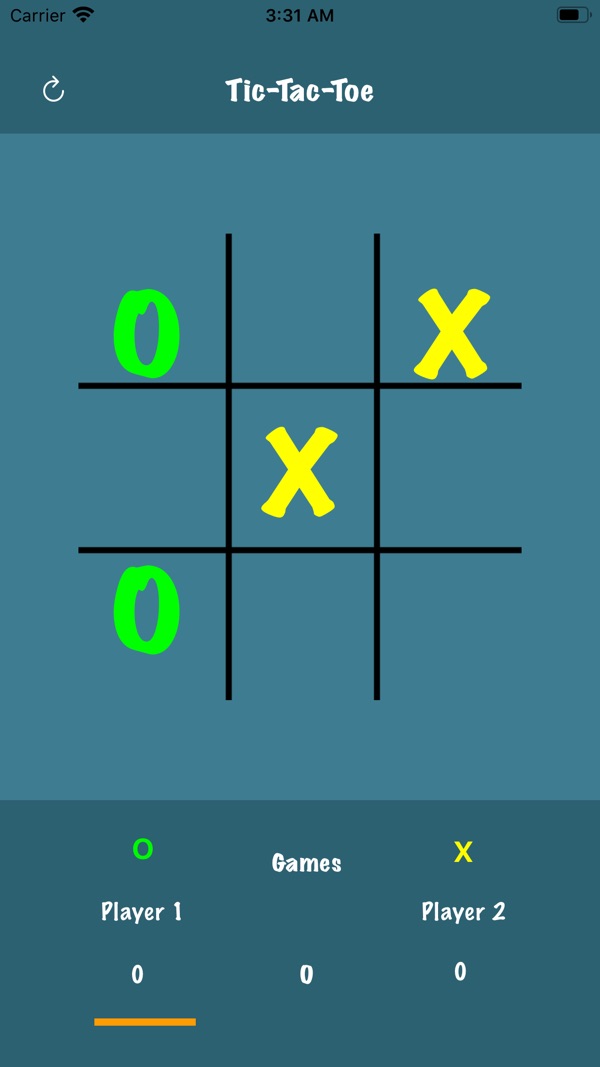
At the time of writing, its App Store listing shows:
- Free, in Games (Strategy, Casual) and Entertainment
- First released in April 2020
- 13 ratings in the US store, averaging about 3.9 stars
- Supports iOS 12.0 and later
The listing says: "Tic Tac Toe supports one player and two player gameplay, so you can play against another human or against yourself."
| What the listing says | Where it's covered |
|---|---|
| "Put away your pencil and paper" | A value-type Game model that enforces the rules (section 2) |
| "Two player gameplay… against another human" | .twoPlayer mode: one device, alternating turns (section 4) |
| "One player… against yourself" | .onePlayer mode; minimax is the extension I'd add for a computer opponent (section 5) |
| iOS 12.0 and later | UIKit is required below iOS 13; the model is identical either way (section 4) |
A 3.9 average on a game this simple tells me something too. Casual players expect polish even from "time pass" games: clear win highlighting, a satisfying tap, an easy rematch. The architecture above is what makes that polish cheap to add.
7. Before you ship a small game: a checklist
- Rules live in one pure model, with no UI framework imports.
- Illegal states are impossible:
private(set)state, and validated moves that return new values. - Every rule has a test: each kind of win, a draw, illegal moves, moves after a win, and undo.
- The view only renders and forwards. If a view contains
if winner…logic, move it. - The AI works on copies and never on the live game. It's tested too: it should never lose from any position where a draw is possible.
- Difficulty is a dial, not three AIs.
- Accessibility: every cell has a spoken label with row, column and contents, and the result is announced.
- Rematch is one tap. The fastest way to a better rating in a casual game.
Wrapping up
Tic tac toe is small, but the lessons scale. Put the rules in a value type that can't be put into an illegal state, test it like a spec, keep the view dumb, and treat the AI as just another consumer of the model, one that explores copies. The same shape works for chess, card games and anything else turn-based.
Play it, or explore my other apps:
- Tic Tac Toe : Time Pass (iOS): https://apps.apple.com/us/app/tic-tac-toe-time-pass/id1509555889
- All of my free iOS apps: https://apps.apple.com/us/developer/alok-singh/id1508795536
- My portfolio: https://bestlatestapps.com/alok/
What's your favourite "tiny game, big lesson" project? Tell me in the comments.
— Alok Kumar Singh