APNs error codes and how to fix them
Paste an APNs response, or pick a reason below, to see what it means, the likely causes and a fix checklist. 32 reasons, checked against Apple's documentation on 25 Oct 2026.
- Reasons, causes and fixes
- Free, no sign-up
| Status | Reason | Meaning | Retry? |
|---|---|---|---|
| 400 | The apns-collapse-id header is too long. | After fixing | |
| 400 | The device token is invalid or doesn't match the environment. | No | |
| 400 | The apns-expiration value is invalid. | After fixing | |
| 400 | The apns-id value is invalid. | After fixing | |
| 400 | The apns-priority value is invalid. | After fixing | |
| 400 | The apns-topic value is invalid. | After fixing | |
| 400 | The device token doesn't match the specified topic. | No | |
| 400 | One or more headers are repeated. | After fixing | |
| 400 | Idle timeout. | Yes, on a new connection | |
| 400 | The apns-push-type value is invalid. | After fixing | |
| 400 | The device token isn't in the request :path. | After fixing | |
| 400 | apns-topic is required and wasn't sent. | After fixing | |
| 400 | The message payload is empty. | After fixing | |
| 400 | Pushing to this topic is not allowed. | After fixing | |
| 403 | The certificate is invalid. | After fixing | |
| 403 | The client certificate doesn't match the environment. | After fixing | |
| 403 | The provider token is stale; generate a new one. | Yes, with a new token | |
| 403 | The specified action is not allowed. | No | |
| 403 | The provider token is not valid, or its signature can't be verified. | After fixing | |
| 403 | No certificate was used and there is no authorization header. | After fixing | |
| 403 | The token's key ID isn't related to the key used for the first push on this connection. | Yes, on a new connection | |
| 403 | The key ID in the token doesn't match the environment. | After fixing | |
| 404 | The request contained an invalid :path value. | After fixing | |
| 405 | The :method value isn't POST. | After fixing | |
| 410 | The device token has expired. | No | |
| 410 | The device token is inactive for the topic. | No | |
| 413 | The payload is too large. | No | |
| 429 | The provider token is updated too often. | Yes, after reusing the current token | |
| 429 | Too many requests in a row to the same device token. | Yes, with a delay | |
| 500 | An internal server error occurred. | Yes, after a delay | |
| 503 | The service is unavailable. | Yes, after a delay | |
| 503 | The APNs server is shutting down. | Yes, on a new connection |
Free to use, no account. More push tools
Reading an APNs response
Every request to APNs gets an HTTP/2 status. 200 means APNs accepted the notification; it says nothing about whether the device showed it. Anything else comes with a JSON body such as {"reason":"BadDeviceToken"}, and a 410 also carries timestamp, in milliseconds since 1970. Paste the status line and the body together: the explainer above checks that the reason matches the status Apple documents for it, which catches logs where the two came from different requests.
- 200: Success.
- 400: Bad request.
- 403: Error with the certificate or the provider authentication token.
- 404: Invalid :path value.
- 405: Invalid :method value; only POST is supported.
- 410: The device token is no longer active for the topic.
- 413: The notification payload was too large.
- 429: Too many requests for the same device token.
- 500: Internal server error.
- 503: The server is shutting down and unavailable.
Sandbox or production? The usual cause of 400 BadDeviceToken
- A build you run from Xcode is signed with
aps-environment = developmentand its tokens only work onapi.sandbox.push.apple.com. - TestFlight, Ad Hoc and App Store builds use production and
api.push.apple.com. - If one server sends to both, store the environment with each token and choose the host per token. Retrying a mismatched token on the same host fails every time.
- The
aps-environmentvalue is in the build's provisioning profile; the .mobileprovision viewer shows it.
Topic errors
DeviceTokenNotForTopic means the token is real but belongs to a different app than the apns-topic you sent: a token from your staging app sent with the production bundle ID, or the widget extension's ID instead of the app's. TopicDisallowed means you may not push to that topic at all, while BadTopic means the topic is malformed. Special push types add a suffix to the topic, for example .push-type.liveactivity or .voip; leaving it out, or adding it to an alert push, is a common cause.
Authentication errors (403)
With token auth, ExpiredProviderToken means the JWT's iat is over an hour old, and InvalidProviderToken means APNs couldn't verify it: a wrong Key ID or Team ID, a revoked key, or a DER-encoded signature. TooManyProviderTokenUpdates (429) means you replace the token too often; keep one for 20 to 60 minutes. The APNs JWT generator builds a known-good token to compare with yours. With certificates, BadCertificate and BadCertificateEnvironment point at the wrong or expired certificate.
410 Unregistered and cleaning your token list
A 410 means the token is no longer active for that topic, typically because the app was deleted. The timestamp tells you when APNs knew that. Delete the token unless the device registered the same token again after that moment. Keep doing this: sending to dead tokens wastes connections. Errors marked as safe to retry (429, 500, 503) deserve backoff with jitter; the others will fail again until you change the request.
Questions
What does BadDeviceToken mean?
APNs could not use the device token you sent. Usually the token is from the other environment (an Xcode build's token sent to production, or a TestFlight token sent to the sandbox), or it was stored in the wrong format, such as base64 or a truncated description string.
What is the difference between DeviceTokenNotForTopic and TopicDisallowed?
DeviceTokenNotForTopic: the token is valid but registered by a different app than the apns-topic in your request. TopicDisallowed: your credentials may not push to that topic at all. Check the bundle ID and any push-type suffix first.
Why do I get 403 InvalidProviderToken?
APNs could not verify your JWT. Check the Key ID (kid) and Team ID (iss), that the key has not been revoked, that alg is ES256, and that the signature is the raw 64-byte r||s form rather than DER.
What should I do on 410 Unregistered?
Stop sending to that token. Compare the timestamp in the response with when you last received the token from the app; if the app has not registered it again since, delete it.
How do I handle 429 TooManyRequests?
You are sending too many notifications to one device token too quickly. Slow down for that token, retry later with exponential backoff, and collapse repeated updates with apns-collapse-id where it makes sense.

From the same developer
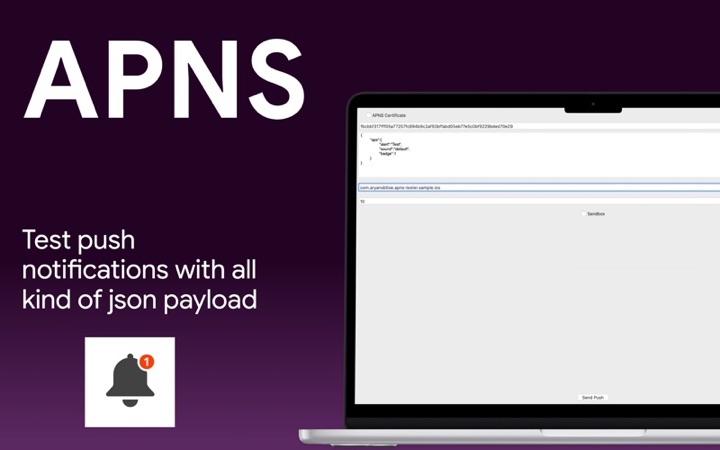
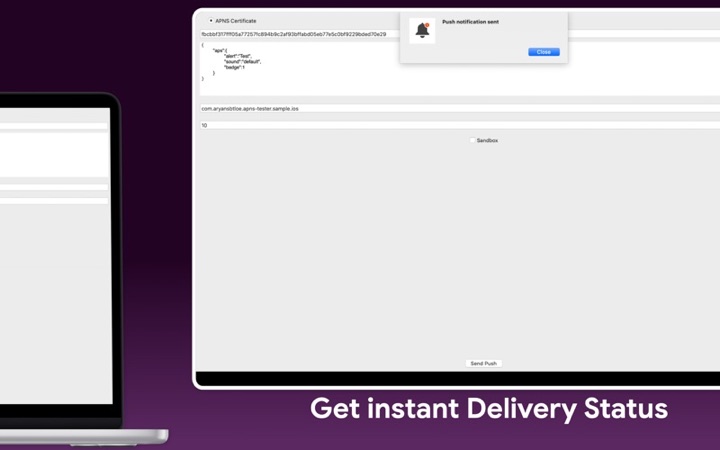
- Push Notification Tester: send APNs test pushes from your Mac.
- Test push notifications without a server.